Pro Jank Footy Watch Mode Explained
Let the bots cook while you learn the joke—or just enjoy Broden Kelly.
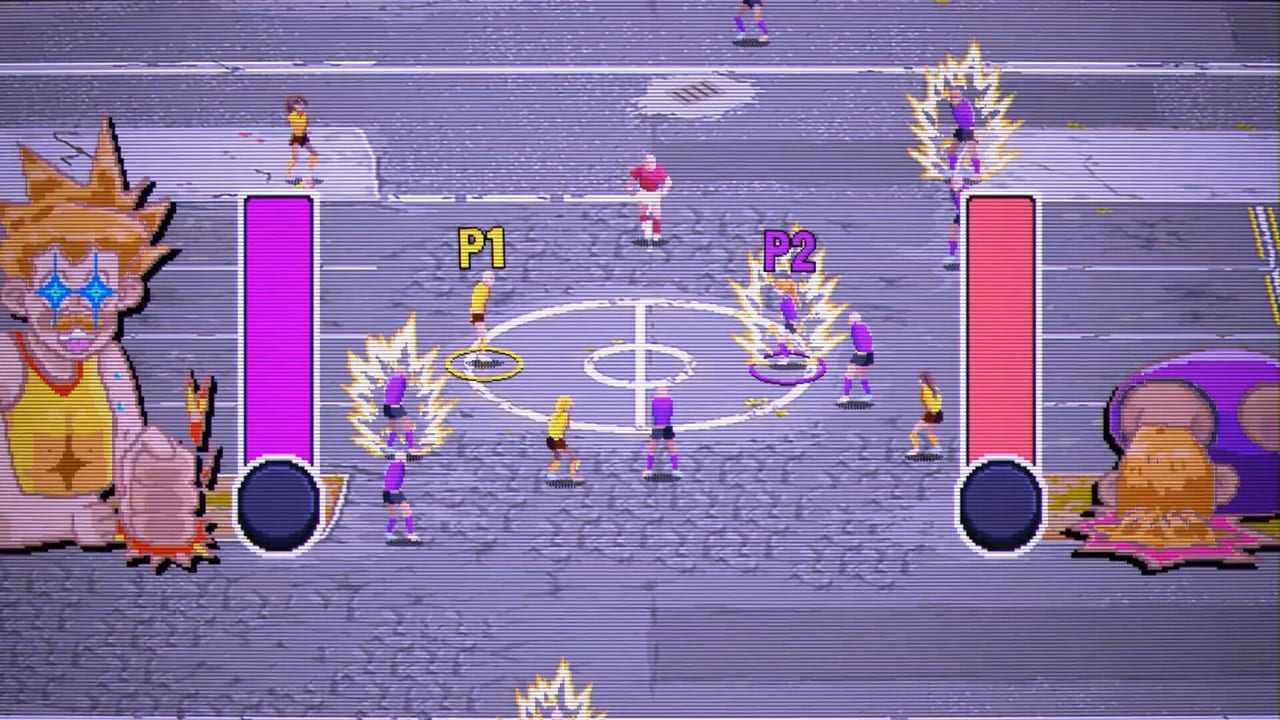
Watch Mode is easy to underrate on a storefront bullet list and impossible to ignore once a living room discovers it. Pro Jank Footy lets you spectate AI versus AI on the same arcade oval used for human matches. Creative director commentary and day-one reviews both treat it as real entertainment—not a debug leftover.
This guide covers when to open Watch Mode, what to look for, and how to keep it from trapping a padless guest in an unskippable loop (a friction a few reviewers noted).
What Watch Mode is for
- Background comedy while someone cooks, charges pads, or argues about real AFL.
- Onboarding sceptics who refuse a controller but will watch seagulls eat a mark.
- Study tool for power-up readability before you trust a Season deck.
- Buffer mode when guests arrive staggered and you refuse to start a ranked argument early.
It sits beside Normal Footy, full Pro Jank versus, Kick-to-Kick, and Season Mode in the mode toolkit.
How to watch like a coach
- Name categories out loud when cards appear—buff, debuff, rewrite—using the model on Power-Ups Overview.
- Track whether the AI chases meat pies or ignores them; copy the useful greed, skip the pastry addiction.
- Note stadium clutter from Stadiums while you are not responsible for a tackle.
- Listen to Broden Kelly’s lines as pacing lessons: the joke density is the product fantasy.
- After ten minutes, switch to a human set so the room does not become a cinema against its will.
Party playlist slot
A clean three-hour night still wants Watch Mode as connective tissue, not the main act:
| Block | Mode |
|---|---|
| Arrivals | Watch Mode or Kick-to-Kick |
| Literacy | Normal Footy |
| Main event | Pro Jank versus |
| Late solo heroics | Season Mode |
| Cool-down | Watch Mode again |
Full playlist thinking lives on Game Modes and Multiplayer.
Known friction and workarounds
Day-one notes mention occasional trouble exiting Watch Mode, forcing a full game restart. If that hits your platform:
- Prefer short spectating blocks.
- Know where the quit path is before you start.
- Keep another entertainment option ready (Kick-to-Kick, a Normal Footy rematch, or simply the Links Hub Discord for tournament chatter).
Also remember Online Status: Watch Mode is a local joy, not a substitute for remote lobbies.
Teaching without spoiling Season bosses
Watch Mode can preview card chaos without burning a Cactus Sharks seed. Use it to show why meme-only drafts fail, then open Deck Building before a serious climb. Keep boss themes spoiler-light the same way Season Mode does.
Accessibility and vibe notes
- CRT filters look great on trailers and heavy on some eyes—let guests toggle comfort settings if the default crunch hurts.
- Large TVs make Watch Mode a better “second screen for the kitchen.”
- Commentary volume matters; keep it audible enough that the comedy lands without drowning conversation.
Related reading
Watch Mode is the wiki’s favourite idle toy: zero skill floor, high joke ceiling, and a perfect excuse to refill drinks before the next human tip-off.
When not to use Watch Mode
- Someone already tilted at AI competence—switch to Kick-to-Kick.
- You promised a competitive Night One ladder—open Season instead.
- Kids want agency—give them Kick-to-Kick pads, not a cinema.
Respect the room. The bots can always play later.
Frequently Asked Questions
Quick answers about Pro Jank Footy modes, power-ups, and platforms.
Is Watch Mode just a tech demo?
No. Developers and reviewers recommend it as genuine entertainment and a low-pressure way to see power-ups.
Can I control players in Watch Mode?
It is a spectating mode—AI versus AI. Grab Versus or Kick-to-Kick when you want a pad in hand.
What if I cannot quit Watch Mode?
Some day-one reports needed a full restart. Keep sessions short and learn the quit path before a long idle.
Does Watch Mode need online?
No. It is a local feature and works even while online multiplayer is still catching up.